

Affiliate Disclosure: This article contains affiliate links. If you make a purchase through these links, we may earn a commission at no additional cost to you.
 Mena
MenaHey, it’s Mena! I wrestle with electrical systems every day as a licensed electrician, so I know my way around car electronics too. Since I started using OBD2 scan tools, I’ve been able to narrow down the cause before ever taking my car to the dealer. After trying more than 10 of these, I’ve picked out the models that actually deliver for DIY mechanics.
When your check engine light comes on, it’s a huge help to have a way to figure out what’s wrong yourself before rushing to the dealer. That’s exactly what an OBD2 (On-Board Diagnostics 2) scan tool is for. Just plug it into the OBD2 port on almost any car built after 1996, and you can read, clear, and monitor live sensor data behind your Diagnostic Trouble Codes (DTCs).
In this guide I’ve picked 10 models across three categories – wired LCD readers, Bluetooth phone-linked scanners, and full-system diagnostic tools – to match three different needs: DIY mechanics, car enthusiasts, and professional use. Prices span a wide range from budget entry-level to premium multi-system tools, so weigh your budget against how many systems you actually need to diagnose as you read through.
MenaIf you’re not sure where to start, you can’t go wrong with the LAUNCH CR529 or the Ancel AD310. Either one is plenty for reading and clearing codes, and both are currently top-tier for the price. If you need 4-system coverage (ABS/SRS/transmission included), I’d point you toward the LAUNCH CRP129X V2.0 or an Ancel 4-system model.
What Is OBD2? The Basics Every DIY Mechanic Should Know
OBD2 (On-Board Diagnostics 2) is the onboard diagnostic system that’s been mandatory on vehicles built since 1996. It monitors key systems – engine, emissions, transmission, brakes – and logs Diagnostic Trouble Codes (DTCs) whenever something goes wrong. When your dashboard check engine light comes on, an OBD2 scan tool lets you read the code that’s already been recorded.
The OBD2 port is a trapezoidal 16-pin connector usually found near the driver’s footwell, under the steering column or beside the center console. Plug the scanner in and turn the ignition to ON to enter diagnostic mode. Bluetooth/WiFi tools work the same way, except you plug in a small adapter and control everything from a phone app.
DTCs are written as a letter followed by numbers, like “P0300,” “B1234,” or “C0031.” P codes cover the powertrain (engine/transmission), B codes cover the body, C codes cover the chassis (ABS/suspension), and U codes cover network communication. If the first digit after the letter is 0, it’s a generic SAE-standard code shared across all manufacturers; 1-3 means it’s manufacturer-specific.
How to Choose an OBD2 Scan Tool: 4 Key Factors
MenaThe easiest starting point is deciding between a wired LCD unit or a Bluetooth phone-linked one. From working with both, wired units are simple and ready to go instantly, while Bluetooth units pack in more features but depend on the app. Then narrow down by how many systems you actually want to diagnose – engine only, or all 4 systems including ABS/SRS.
1. Connection type: wired LCD vs. Bluetooth/WiFi phone-linked
Wired LCD units have a built-in screen and work standalone with no phone needed. They draw power straight from the OBD2 port, so there’s no battery to worry about – plug in and go. Bluetooth/WiFi units, on the other hand, pair with a phone app; combined with a good app, they can offer more advanced diagnostics than a wired unit thanks to the bigger screen and richer feature set. It’s worth checking app quality, device compatibility, and any subscription costs before buying.
2. How many systems it diagnoses: engine-only vs. 4-system vs. full-system
Every model on this list supports standard OBD2 functions (engine/emissions). If you also want to check ABS, SRS (airbag), or transmission warning lights, you’ll need a model that supports at least 4 systems. Basic OBD2 functions are enough if all you need is I/M readiness status before an emissions test, but if your ABS light or airbag light comes on, go with a 4-system-or-better model.
3. Protocol support and vehicle compatibility
OBD2 uses five different communication protocols, and a tool that supports all five will work on nearly every vehicle built after 1996. One thing to watch for is “OEM Enhanced” diagnostics – functions that read a manufacturer’s proprietary extended codes. Ford’s specific subsystems, for example, require MS-CAN support, and a scanner without it won’t be able to read certain codes. If you want to dig deep into one particular brand, check the tool’s protocol support first.
4. Software update support
OBD2 scan tools add vehicle coverage and features through software updates. For wired LCD units, pick a model that supports updates over USB or Wi-Fi so it stays useful long after purchase – and check whether updates are free or paid. Bluetooth/WiFi tools update automatically through the app, so this is less of a concern there.
10 OBD2 Scan Tools: Spec Comparison Table
| Model | Connection | Systems Diagnosed | Live Data | Display/OS | Best For |
|---|---|---|---|---|---|
| LAUNCH CR529 | Wired LCD | Engine | Yes | Built-in LCD | First-time OBD2 users |
| LAUNCH CRP129X V2.0 | Wired touchscreen | Engine/Transmission/ABS/SRS | Yes (graph) | Color touchscreen | 4-system diagnostics, mid-tier |
| Ancel AD310 | Wired LCD | Engine | No | Monochrome LCD | Ultra-budget first try |
| Ancel AD410 | Wired color LCD | Engine | Yes (graph) | 2.8″ color LCD | Wired unit with live data |
| LAUNCH CRP123X | Wired touchscreen | Engine/Transmission/ABS/SRS | Yes (graph) | Color touchscreen | Low-cost 4-system diagnostics |
| BlueDriver | Bluetooth | Multi-system | Yes | iOS/Android | Repair database, pro-grade Bluetooth |
| OBDLink MX+ | Bluetooth | OEM Enhanced support | High-speed | iOS/Android/Windows | Full protocol coverage, enthusiasts |
| Veepeak OBDCheck BLE+ | Bluetooth | Engine | App-dependent | iOS MFi/Android | Budget Bluetooth entry point |
| Autel MaxiAP AP200 | Bluetooth | 28+ systems | Yes | iOS/Android | Full-system, brand deep-dive |
| Topdon TopScan | Bluetooth | OBD2 standard | Yes | iOS/Android | AI-assisted diagnostics, newest release |
[In-Depth] 10 Best OBD2 Scan Tools for DIY Mechanics
LAUNCH CR529 – Outstanding Value in a Wired Entry-Level Scanner


The LAUNCH CR529 is an entry-level model from LAUNCH: a classic wired, all-in-one LCD OBD2 scan tool. It needs no smartphone – reading and clearing DTCs, viewing freeze frame data, and checking I/M readiness all happen on the unit itself. It sits at a very approachable price point, making it a great first tool for anyone trying OBD2 diagnostics for the first time.
It supports all five OBD2 protocols (CAN, ISO 9141-2, KWP2000, J1850 PWM, J1850 VPW), so it works across a wide range of vehicles built after 1996. It reads and clears engine-system DTCs (P0-P3 codes), runs O2 sensor tests, and checks the EVAP system. The 2.8″ LCD displays both the code number and its definition side by side.
No battery needed – it draws power straight from the OBD2 port and powers on the moment you plug it in. The cable is on the shorter side at around 80cm, but that’s plenty if you’re working near the OBD2 port under the dash. Since it’s built purely around diagnosing and clearing check-engine-light causes, it’s ideal if you just want something simple. Note that it doesn’t cover ABS, SRS, or transmission subsystems – it’s an engine-focused, no-frills tool.
Specs: Connection: wired (direct OBD2 port) | Protocols: CAN / ISO 9141-2 / KWP2000 / J1850 PWM / J1850 VPW | Systems: engine (OBD2 standard) | Live data: yes | Display: 2.8″ LCD | Compatibility: OBD2-compliant vehicles built 1996 or later
LAUNCH CRP129X V2.0 – 4-System Coverage (ABS/SRS/Transmission) Plus 12 Resets
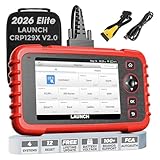


The LAUNCH CRP129X V2.0 is a mid-tier scanner that diagnoses four systems – engine, transmission, ABS, and SRS (airbag). It’s a step up from an engine-only tool like the CR529, letting you dig into the cause the moment an ABS or airbag warning light comes on. On top of the four-system diagnosis, it packs in 12 reset/service functions (including TPMS, oil, EPB, SAS, BMS, throttle relearn, and injector coding), which is a big part of why it’s rated so highly for the price.
It runs on a large, touch-enabled color display and shows live data in graph form. You can track engine RPM, coolant temperature, O2 sensor voltage, and throttle position in real time, which is a big help when chasing down an intermittent issue. It’s Android-based under the hood with Wi-Fi software updates, and it covers 100,000+ vehicle configurations with multi-language support.
It’s compatible with OBD2/CAN-compliant vehicles built 1996 or later, spanning domestic and import makes. Regular software updates keep expanding vehicle coverage and features over time, so it stays useful well after purchase. That said, it’s priced higher than an engine-only tool, so it’s more than most people need if all they care about is the check engine light.
Specs: Connection: wired (direct OBD2 port) | Systems: engine / transmission / ABS / SRS (4 systems) | Live data: yes (graph view) | Display: large color touchscreen | Resets: 12 services (TPMS/oil/EPB/SAS/BMS/throttle/injector coding) | OS: Android | Updates: Wi-Fi OTA
Ancel AD310 – An Ultra-Budget, No-Frills Entry Point



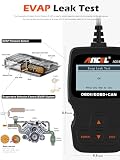


The Ancel AD310 is one of the lowest-priced OBD2 scan tools you can buy. It’s built around one job: reading and clearing DTCs, viewing freeze frame data, and checking I/M readiness – nothing more. If you just want to try OBD2 diagnostics once, or just want to clear the check engine light yourself, this tool is built exactly for that.
The display is a monochrome LCD, but it shows both the DTC number and an English description, which is plenty to pin down the cause. It supports all five OBD2 protocols, so it covers a wide range of vehicles built after 1996. It draws power directly from the OBD2 port with no battery needed – plug in and it powers up.
It doesn’t show live data, so you can’t watch real-time sensor values, and it doesn’t cover ABS, SRS, or transmission subsystems either. It’s built for the no-frills buyer who just wants to know what’s tripping the check engine light as cheaply as possible – and honestly, a scanner like this is exactly how I got started with OBD2 myself.
Specs: Connection: wired (direct OBD2 port) | Systems: engine (OBD2 standard only) | Live data: no | Display: monochrome LCD | Protocols: all 5 OBD2 protocols | Compatibility: OBD2-compliant vehicles built 1996 or later
Ancel AD410 – A Mid-Tier Ancel with Live Data
The Ancel AD410 sits a step above the AD310, adding real-time live data on top of the basic read/clear functions. You can watch engine RPM, coolant temperature, O2 sensor readings, and battery voltage in real time while driving. It’s priced only a bit higher than the AD310, making it a natural step up if you want a bit more capability without a big jump in price.
It has a 2.8″ color LCD and displays live data as a graph, which helps when tracking down an intermittent sensor fault (one that only shows up when the engine’s cold, for example). It only covers standard engine-system OBD2 functions – no ABS, SRS, or transmission – so it’s best suited to engine-area checks and things like watching O2 sensor degradation over time.
It has a built-in battery voltage test, so you can also check the health of your charging system. It supports all five OBD2 protocols and works across domestic and import vehicles alike.
Specs: Connection: wired (direct OBD2 port) | Systems: engine (OBD2 standard) | Live data: yes (graph view) | Display: 2.8″ color LCD | Battery test: yes | Compatibility: OBD2-compliant vehicles built 1996 or later
LAUNCH CRP123X – Solid Value in a 4-System Touchscreen Scanner
The LAUNCH CRP123X covers the same four systems as the CRP129X V2.0 – engine, transmission, ABS, and SRS (airbag) – at a somewhat lower price point. It’s well regarded among DIY mechanics who specifically want to investigate ABS and SRS warning lights without spending as much as a higher-tier model.
It has a color touchscreen and supports live-data graphing, freeze frame data, O2 sensor tests, and EVAP/EGR system tests. Active tests (actuator control) are limited, but it has plenty of capability for sensor-level diagnostics. It also includes several reset/service functions, a battery test, and AutoVIN vehicle detection.
It covers OBD2/CAN-compliant vehicles built 1996 or later – domestic, European, and American makes alike. It’s Android-based and receives regular software updates over Wi-Fi. If you want one tool that covers nearly every warning light while keeping the budget in check, this is a model I recommend often.
Specs: Connection: wired (direct OBD2 port) | Systems: engine / transmission / ABS / SRS (4 systems) | Live data: yes (graph view) | Display: color touchscreen | OS: Android | Active tests: partial support | Extras: battery test, AutoVIN
BlueDriver – Pro-Grade Bluetooth Diagnostics on Your Phone
BlueDriver is a Bluetooth OBD2 adapter from Lemur Vehicle Monitors that pairs with a free companion app to run diagnostics. It supports both iOS and Android, and its standout feature is broad, professional-grade coverage across engine, ABS, SRS, transmission, transaxle, 4WD, and HVAC systems.
Beyond reading and clearing DTCs, its signature feature is the Repair Report: enter a DTC and it pulls up a database of real repairs verified by professional mechanics for that exact code, which is genuinely useful when deciding how to approach a fix. It also supports live-data graphing, freeze frame data, and enhanced OEM diagnostics.
It carries Apple’s MFi certification for Bluetooth, so it connects reliably to an iPhone with no lag. The adapter itself is compact enough to leave plugged into the OBD2 port permanently.
Specs: Connection: Bluetooth (iOS/Android) | Systems: engine / ABS / SRS / transmission / HVAC and more (multi-system) | Repair database: yes (proprietary) | Live data: yes | iOS MFi certified: yes
OBDLink MX+ – A Pro-Grade Bluetooth Adapter with Full Protocol Support


The OBDLink MX+ is a Bluetooth OBD2 adapter from ScanTool.net, a top-tier model that goes beyond standard OBD2 to support manufacturer-specific “OEM Enhanced” protocols from Ford, GM, Chrysler, Toyota, and more. Its standout feature is support for communication standards that typical OBD2 adapters can’t handle, like Ford’s MS-CAN and GM’s SWCAN (Single Wire CAN).
It works with iOS, Android, and Windows, and it’s highly compatible with popular third-party apps like the OBDLink app, Torque Pro, OBD Fusion, and DashCommand. Connection speed is roughly 4x faster than a typical ELM327-based adapter, with a higher live-data refresh rate, which makes it well suited to detailed data logging while driving.
On the security side, it blocks unauthorized connections after Bluetooth pairing, and it draws minimal power even if you leave it plugged into the OBD2 port permanently. This is the model I’d point serious DIYers and enthusiasts toward if they care about app compatibility and diagnostic breadth.
Specs: Connection: Bluetooth (iOS/Android/Windows) | Protocols: all 5 OBD2 protocols plus OEM Enhanced (Ford/GM/Chrysler/Toyota, etc.) | Connection speed: ~4x a typical ELM327 adapter | Standby power draw: very low
Veepeak OBDCheck BLE+ – An Affordable Bluetooth Adapter for iOS and Android
The Veepeak OBDCheck BLE+ is a budget-friendly Bluetooth OBD2 adapter that works with both iOS and Android. It’s compatible with major OBD2 apps like OBD Fusion, Torque Pro, and DashCommand, and it’s popular with car enthusiasts who like turning their phone into a dashboard gauge cluster. That said, it’s limited to standard engine-system OBD2 diagnostics – no ABS or SRS subsystems.
It’s a solid, budget-friendly option if you want an OBD2 adapter that plays nicely with an iPhone. It’s not as fast as the OBDLink MX+, but for everyday DTC reading, clearing, and basic live data, it’s more than capable.
It supports all five standard OBD2 protocols and works on domestic and import vehicles built 1996 or later. It’s designed for low power draw if left plugged in permanently, so it won’t drain your battery while the engine’s off. It’s a solid entry point if you just want to see OBD2 data on your phone without spending a lot – though covering every extended vehicle-specific function may require buying additional app add-ons.
Specs: Connection: Bluetooth (iOS MFi certified / Android) | Systems: OBD2 standard (engine) | Live data: app-dependent | Power: designed for always-plugged-in use | Compatible apps: OBD Fusion / Torque Pro / DashCommand, etc.
Autel MaxiAP AP200 – Full-System Diagnostics via Smartphone App


The Autel MaxiAP AP200 pairs a compact Bluetooth adapter from Autel with a dedicated smartphone app for full-system diagnostics. It covers 19+ service functions and 28+ systems – engine, transmission, ABS, SRS, HVAC, power steering, body control, and more – putting it close to dealer-level scan tool capability.
It works on an add-on model: standard OBD2 functions common to all vehicles are included free in the app, while manufacturer-specific extended diagnostics are unlocked per-brand through an in-app purchase. That structure suits an owner who sticks with one brand long-term more than someone who swaps vehicles frequently.
It works on iOS and Android, with live-data graphing and some specialty functions like forced DPF regeneration and calibration resets (TPMS relearn, steering angle calibration). The adapter is compact enough to leave plugged in permanently, so you can check vehicle status from the app every time you get in. As a relatively newer brand in this space, though, it doesn’t have quite the track record that BlueDriver or OBDLink have built up.
Specs: Connection: Bluetooth (iOS/Android) | Systems: 28+ systems (per-brand app add-ons) | Standard OBD2 functions: free | Special functions: DPF regeneration / TPMS relearn / partial calibration support
Topdon TopScan – A Newer Bluetooth Scanner for Domestic and Import Vehicles


The Topdon TopScan is a newer-generation Bluetooth OBD2 scanner from Topdon that runs diagnostics, live data, and I/M readiness checks through a companion smartphone app. It works on both iOS and Android, and the dedicated TopScan app is praised for an intuitive interface that’s easy for beginners to pick up.
It supports all five OBD2 protocols and works across a wide range of vehicles built 1996 or later. One standout feature is its AI-assisted diagnostics: enter a DTC and it suggests likely causes and repair pointers, which is a nice reference point for a DIY mechanic without a shop manual on hand.
The unit itself is keychain-sized at roughly 25g, small enough to leave plugged in without getting in the way while driving or parked. Bluetooth stays stable at a range of about 10 meters, which makes it easy to work with your phone in hand or mounted while you’re diagnosing. Power draw stays minimal even after the engine’s off.
Specs: Connection: Bluetooth (iOS/Android) | Protocols: all 5 OBD2 protocols | AI diagnostic assist: yes | Size: keychain-sized, ~25g | Compatibility: OBD2-compliant vehicles built 1996 or later
3 Accessories Worth Pairing with Your Scan Tool
Beyond the scan tool itself, here are a few accessories that make life easier. If your OBD2 port sits somewhere awkward to reach, an extension cable is a real help.
OBD2 Extension Cable – No More Fighting an Awkward Port


Depending on the vehicle, the OBD2 port can be tucked somewhere awkward – deep under the steering column, or beside the center console. An extension cable lets you pull the scan tool itself into easy reach instead of fighting with the port location. A 2-3 foot cable is a common length, giving you enough slack to route it under a seat or into a console box. Cheap cables can be prone to bad contacts and connection errors, though, so it’s worth spending a little more for a reliable one.
Specs: Cable length: ~3.3ft (representative example) | Connector: OBD2 (J1962) male-to-female | Compatibility: all OBD2 protocols
ELM327 USB Wired Adapter – For PC Data Logging


The USB version of the ELM327 is a wired adapter built for pairing with PC data-logging software (FORScan and similar Windows tools). It’s well suited to fast, large-volume data capture and detailed analysis that’s harder to do over Bluetooth. Pairing it with FORScan in particular gives Ford owners diagnostic and programming access close to what a dealer tool offers. Since it’s PC-only, though, it’s not meant for real-time viewing on a phone in the car.
Specs: Connection: USB (PC only) | OS: Windows | Compatible software: FORScan and similar | Protocols: all 5 OBD2 protocols
ELM327-Compatible WiFi Adapter – The Cheapest Way to Pair with an iOS App


A WiFi-based ELM327-compatible adapter isn’t affected by iOS’s Bluetooth restrictions, so it’s compatible with a wider range of iOS apps than a Bluetooth adapter is. Paired with an app like OBD Fusion or Car Scanner ELM OBD2, it’s the cheapest way to set up a phone-based diagnostic system. Connection stability isn’t quite on par with an MFi-certified Bluetooth unit, but it’s a reasonable option if you just want to try it out at minimal cost.
Specs: Connection: WiFi (2.4GHz) | OS: iOS/Android | Compatible apps: OBD Fusion / Car Scanner ELM OBD2, etc. | Protocols: all 5 OBD2 protocols (ELM327-compatible)
3 Tips for Using an OBD2 Scan Tool Correctly in the Field
MenaHere’s something I’ve learned firsthand: run OBD2 diagnostics after the engine has fully warmed up (once coolant temp has stabilized). Sensor readings settle into their normal range and are much easier to judge. Right after a cold start, the O2 sensor hasn’t activated yet, which tends to throw DTCs – so 5-10 minutes of driving first is ideal.
Tip 1: Diagnose only after the engine is fully warmed up
Real-time readings from the O2 sensor, catalytic converter, and airflow sensor can fall outside their normal operating range while the engine is still cold. Wait until the temperature gauge settles into its normal range (around 175-195°F) before starting your diagnosis – sensor readings will be far more stable and easier to interpret.
Tip 2: Record the freeze frame before clearing the DTC
Freeze frame data is a snapshot of sensor readings – coolant temp, RPM, engine load, and more – captured the instant a DTC was recorded. Always record it before clearing the code. Once you clear it, you lose your only clue to a fault condition that might not reproduce easily, and that data is critical when deciding how to approach the repair.
Tip 3: If the same code keeps coming back, log the symptoms instead of just clearing it
If the same DTC comes back shortly after you clear it, that’s a sign the root cause hasn’t actually been fixed. Keep a log of when it happens, what you’d just done, and under what conditions – that makes explaining the issue to a mechanic or dealer far more precise and speeds up diagnosis. If multiple codes show up at once, work through them starting with the lowest-numbered code first.
Choosing by Use Case and Budget
Trying OBD2 for the first time (entry-level budget)
If all you want is to find out why the check engine light is on and clear it, the LAUNCH CR529 or Ancel AD310 is plenty. Both are wired LCD units – no phone required, plug in and go – which makes either one a great first tool. The main difference is live data (CR529 has it, AD310 doesn’t), so go with the CR529 if your budget allows.
Want to diagnose ABS, SRS, and transmission too (mid-range budget)
If you’re dealing with ABS or SRS warning lights or a transmission concern, go with the LAUNCH CRP129X V2.0 or CRP123X. Both cover all four systems; the CRP123X is a bit more budget-friendly while the CRP129X V2.0 packs in more reset functions. Both support live-data graphing too, so either works well for tracking sensor behavior.
Want a full-featured phone-linked tool (mid-to-premium budget)
If you want the bigger screen and richer feature set of a phone app, go Bluetooth/WiFi. For an entry point, the Veepeak OBDCheck BLE+ is the value pick; for serious diagnostics, the BlueDriver or OBDLink MX+ is the way to go. iPhone users should stick to MFi-certified Bluetooth units (BlueDriver, OBDLink MX+, Veepeak OBDCheck BLE+) for the most reliable connection.
FAQ
Q. Can an OBD2 scan tool diagnose every possible car problem?
An OBD2 scan tool only reads what the car’s own computer has already diagnosed. It can’t tell you about a physical symptom that never triggered a DTC – a rattling noise or heavy steering, for example. And codes for manufacturer-specific subsystems outside the OBD2 standard may only be readable by a tool that supports the right protocol for that brand.
Q. What happens when you clear an OBD2 code?
Clearing a DTC turns off the check engine light and deletes the freeze frame data along with it. If the root cause hasn’t actually been fixed, the same code will come back after a certain amount of driving. Clearing codes right before an emissions/IM inspection to try to pass it won’t work either – if the readiness monitors haven’t completed their cycle, the vehicle will fail regardless. Always record the freeze frame data before clearing anything.
Q. Does the same scan tool work on both domestic and import vehicles?
OBD2 has been a mandatory common standard on all vehicles built since 1996, so the same OBD2 scan tool handles basic engine diagnostics whether the car is domestic or imported. That said, diagnosing ABS/SRS/transmission subsystems or reading manufacturer-specific detailed codes may require support for that brand’s extended protocol. European makes like BMW, Mercedes, and Volkswagen often use proprietary protocols that call for a dedicated scan tool or compatible app.
Conclusion: Pick an OBD2 Scan Tool You Can Start Using Today
MenaAfter comparing 10 of these, the LAUNCH CR529 is plenty for a first tool. If you want to step up, a Bluetooth model like BlueDriver or the OBDLink MX+ opens up a lot more capability. Building the habit of regularly checking on your car’s condition is honestly the cheapest form of maintenance there is – it heads off big problems before they start.
Here’s the quick recap on how to choose from the 10 tools covered here. For your first scan tool, go with the LAUNCH CR529 or Ancel AD310. If you need 4-system diagnostics (ABS/SRS/transmission), pick the LAUNCH CRP129X V2.0 or CRP123X. If you want a feature-rich phone-linked tool, the BlueDriver is a great choice. If you want full protocol coverage, go with the OBDLink MX+. For full-system diagnostics and deep-diving into one particular brand, the Autel MaxiAP AP200 is the one to look at. Turning “the check engine light is on and I have no idea why” into “I can narrow down the cause myself” changes how you approach car maintenance entirely.
Related Articles
If you’re setting up your car and desk for the long haul, a couple of other gadget comparisons might be worth a look too.